Financing Available: Need to upgrade your systems?
We offer financing options to help make the transition more affordable for your business.
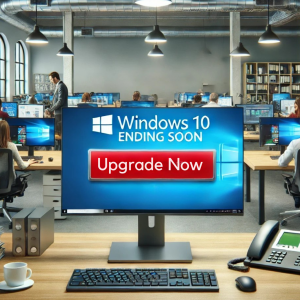
Microsoft has announced that support for Windows 10 will officially end on October 14, 2025. While your PCs will continue to function after that date, Microsoft will stop providing the essential services that keep your system safe and running smoothly. This includes:
- Security updates
- Non-security updates
- Technical support

Why This Matters for Business Owners
Increased Security Risks: Without regular updates, your devices become vulnerable to cyber threats like viruses, malware, and hackers. This could jeopardize your sensitive business data.
Software Compatibility Issues: Many software vendors stop supporting outdated operating systems. This means key business applications may stop working properly—or at all—after Windows 10 is retired.
Compliance Concerns: If your business handles sensitive information or must follow industry regulations, using an unsupported system could result in compliance violations, fines, or legal trouble.
What Are Your Options?
Microsoft urges users to transition to a newer version of Windows before the end-of-life deadline. However, not all current Windows 10 machines meet the hardware requirements for Windows 11. If your PC is incompatible, you'll likely see an error during the upgrade attempt.
Here are some paths forward:
- Purchase a new Windows 11-compatible PC
- Pay for extended Windows 10 security updates (offered for up to 3 years, but no longer free)
- Switch to an alternative operating system like Linux
- Attempt a workaround to upgrade unsupported devices (not recommended for most users)
- Do nothing and risk your business's security (strongly discouraged)
Before doing anything, be sure to back up your important data to prevent loss during the upgrade or migration process.

Don't Wait Until It's Too Late
Being proactive is critical. While there are rumors that Microsoft might extend the deadline, it’s not something your business should rely on. Delaying action could leave you vulnerable and scrambling at the last minute.
The best course of action is to work with your IT provider (us) to review your current setup and decide on a plan that fits your needs and budget. If your PCs are newer, paying for extended updates might make sense. If they're aging, replacing them could be the smarter investment.
We’re Here to Help — Schedule a FREE 15-Minute Discovery Call
Not sure where to start? Our team is here to guide you. Schedule a quick, no-pressure FREE 15-minute Discovery Call and let us help you plan your upgrade strategy. We’ll walk you through the next steps to ensure a smooth, secure transition to Windows 11.